Saving Copies and Viewing Printed Documents
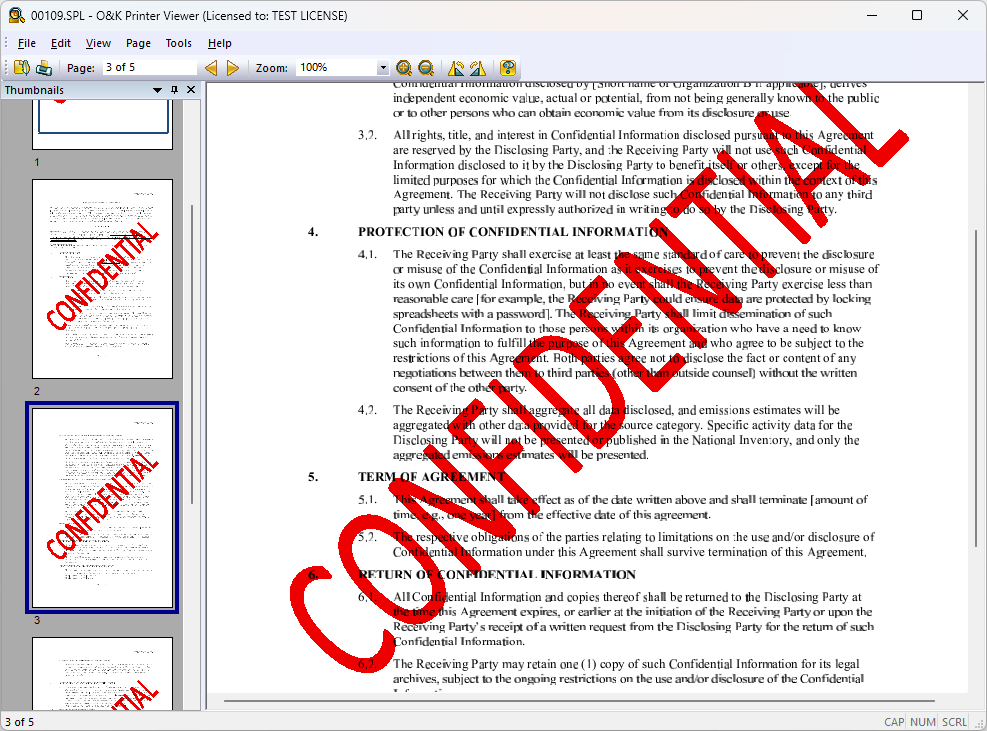
O&K Print Watch not only tracks print jobs, but also saves copies of printed documents as PDF files or images. This gives you full control over what is actually being printed in your organization.
- view the content of printed documents;
- identify the user and source computer;
- detect large or suspicious print jobs;
- remote access to the print history and archive.
Why This Matters
In most organizations, printing is used without proper control. Employees may print personal documents, large text files, or images, leading to excessive use of paper, toner, and printer resources.
The larger the company, the greater the losses. That is why print monitoring is not only about security, but also about direct cost savings.
How It Works
O&K Print Watch intercepts print jobs at the server level and records:
- user name;
- source computer;
- printer;
- number of pages;
- a copy of the document (PDF or image).
This allows you not only to see that a document was printed, but also to understand its actual content.
Example
As a result, unnecessary printing can be stopped quickly, helping reduce costs and prevent resource waste.
TSPL and Label Printer Support
In addition to standard office printers, the system works with barcode and label printers, including devices that support TSPL.
- monitor label and barcode printing;
- track jobs in warehouses and logistics;
- control material usage;
- full visibility of all printing operations.
Compatibility
The software supports most printers and drivers:
- PCL and PostScript printers;
- MFPs and plotters;
- GDI devices;
- TSPL label printers.
Try It Free
Install O&K Print Watch and start controlling your printing environment today.